CollectMax allows you to mask fields containing Personal Identification Indicators (PII) such as Social Security Numbers (SSN), Driver's License Number, Bank Account Numbers and Reference Numbers.
Note: Masking Options are respected on some reports. Please review How to Remove PII Masking on Reports for more information on how to remove the masking.
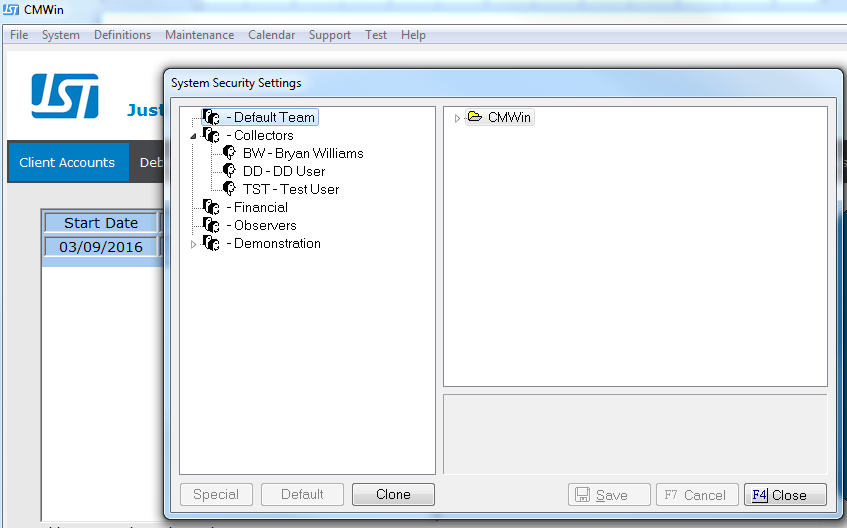
Go to System>System Security
In the left pane, select the group or user who you wish to implement masking.
Hint: If you plan to incorporate masking on multiple users, you may want to consider adding those users to a group and set the masking options on the group instead.
For more information on System Security, click here.
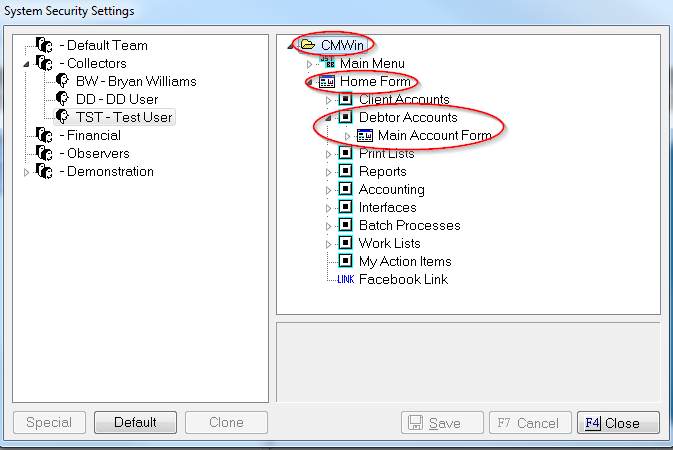
In the right pane, drill down in the CollectMax system to the field you would like to mask. For this example, we will use Debtor SSN. From the Main Account Form, open up Debtor Tab and look for SSN/EIN Masking Field.
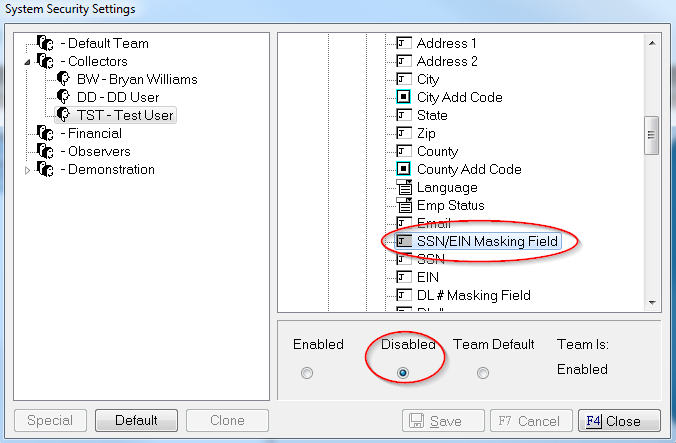
Highlight the selection, and click the Disabled radio button on the bottom. When you are done setting your desired options, click the Save button.
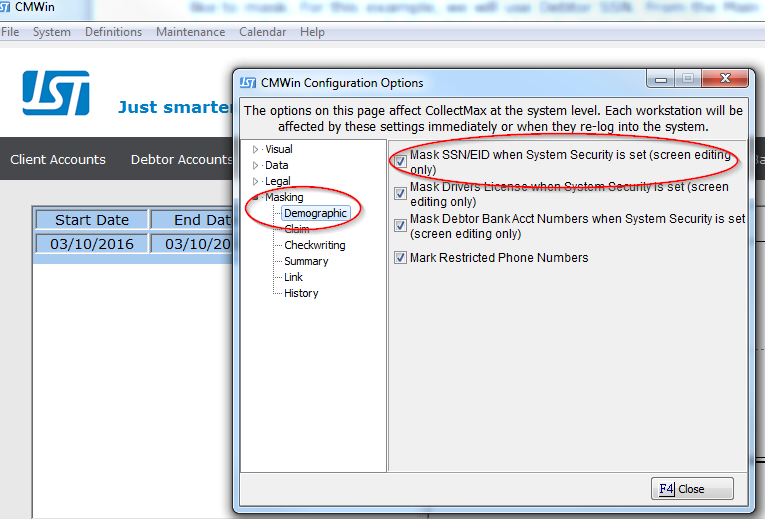
Now you need to go into System>System Options, and expand Masking. You’ll notice that there are several fields in the system available. In this case, let’s select Demographic, and check the Mask SSN/EID option.
Note: Any changes made here will not take effect until after the user logs out and back into CollectMax.
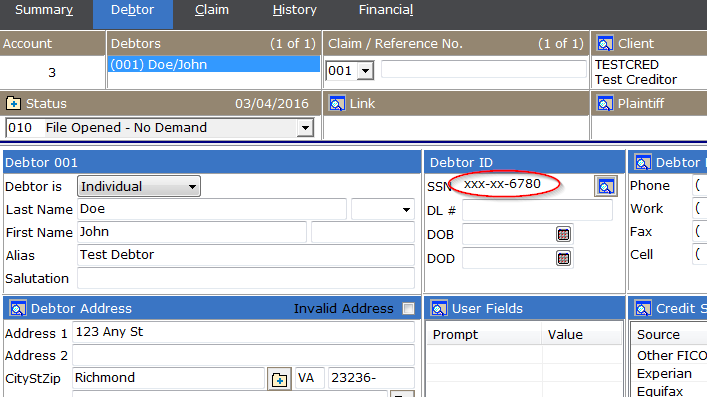
As seen above, the debtor’s SSN is now masked.
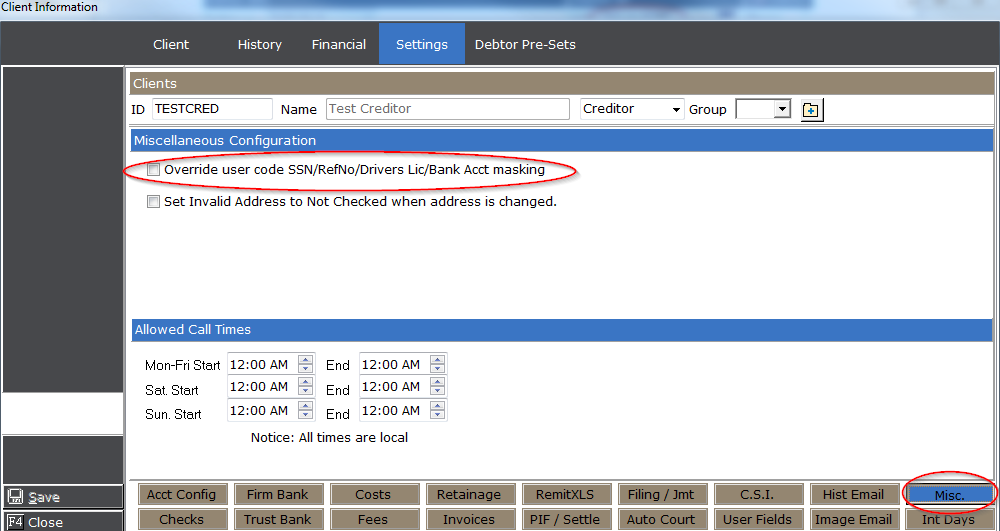
Hint: You can also override the masking of the SSN, Drivers License Number, Claim Reference Number, and debtor Bank Account Information, on a per client basis by checking the Override option in Miscellaneous Client Settings.
For more Masking options, see Variable Masking and Removing PII Masking from Reports.